GoFormz now integrates with Microsoft Power Automate
GoFormz now integrates with Microsoft Power Automate
Now you can trigger automated Microsoft workflows when field crews submit forms.
Learn More
GoFormz now integrates with Microsoft Power Automate
Now you can trigger automated Microsoft workflows when field crews submit forms.
Learn More
For companies with on-site frontline operations, from construction projects to utilities plants, that's where the real work happens — in the field. It's also where the critical data field crews collect every day originates. Inspections, incident reports, work orders. All of these workflows, and their related data, live in GoFormz.
But the systems that act on this data sit upstream in the back-office. Your whole Microsoft Suite — including Dynamics 365, SharePoint, OneDrive, and Teams. Separated by manual steps, lag, and leakage, these connected systems don't connect to the field. Until now.
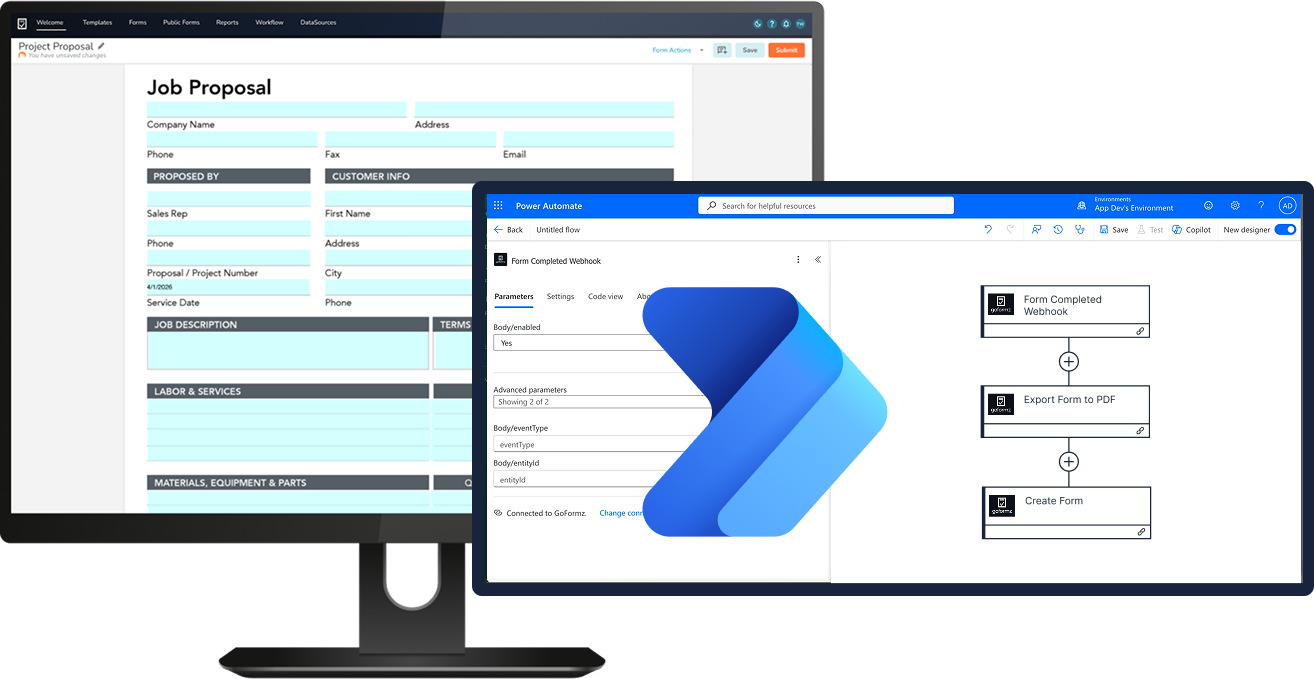
The GoFormz-Microsoft Power Automate integration connects your GoFormz field data to the Microsoft systems you operate on, triggering automated workflows as soon as a form is submitted. With pre-built triggers and actions plus admin governance controls, you can automate form-based processes across platforms with no need for developer resources or manual configuration. Admins set the triggers and the integration does the rest — working within governed models, not around them. Learn more about the GoFormz-Power Automate connector here ›
For companies already invested in the Microsoft ecosystem, this integration acts as the connective tissue between field execution and the Microsoft systems that run your business. GoFormz isn't just another digital forms tool — it's the layer that completes your existing systems, extending the value of your entire tech ecosystem.
While GoFormz already offers two-way integrations with Microsoft applications, including SharePoint, Dynamics 365, OneDrive, Azure Blob storage, and more, adding this new integration will give you more flexibility, as well as enabling you to connect to the software your teams are already using. Keep all your data in the same ecosystem and automate the workflows your operations run on.
“The integrations that GoFormz has natively built in have helped us make a handful of platforms and software much more valuable to Tasman.”
– John Walker, IT Manager, Tasman, Inc.
Pre-built triggers and actions make it quick and easy to automate the workflows you depend on to keep your operation moving forward.
Automated reporting and dashboards: Submitted form data routed through Power Automate can feed Power BI dashboards and automated reporting pipelines — giving operations leaders real-time visibility into field activity without manual data aggregation.
Safety incident report → Teams channel alert + SharePoint log: Field crew submission of an incident or near-miss form triggers an immediate Teams notification to the safety manager and project lead. At the same time, the completed form is archived in a designated SharePoint folder for audit-readiness.
Daily report submission → automated distribution and archive: Completing a daily job site report triggers an Outlook distribution to project stakeholders and a SharePoint document archive. Supervisors no longer have to send forms manually and your records are always up to date.
Accounts with API access can activate the integration right away. Within the Power Automate portal, users can search the “Connectors” tab to search for the GoFormz connector, enabling users to start using pre-built triggers and actions. Check out the Help Center article for step-by-step setup instructions, a catalog of pre-built triggers, and troubleshooting support.
Activate the integration today to unlock deeper value across your organization.