Your field teams are already capturing the data. AI OCR just stops the retyping.
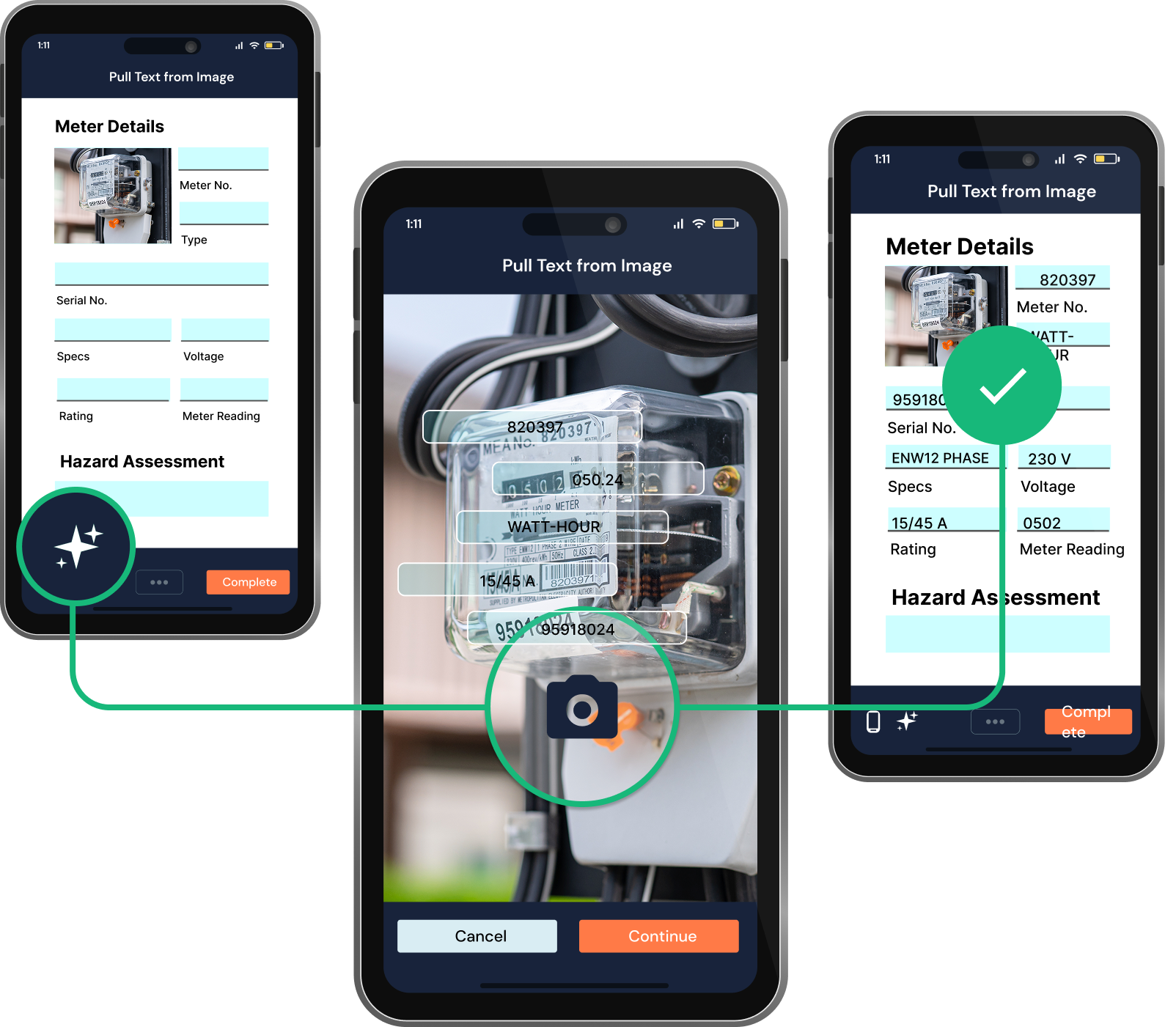
GoFormz AI OCR: Automatically capture text from images
Give teams a faster, more accurate way to capture data in the field.
Schedule a Demo
GoFormz AI OCR: Automatically capture text from images
Give teams a faster, more accurate way to capture data in the field.
Schedule a Demo
Your field crews gather a lot of information from things like photos, documents, and signs. Handwritten field notes, parts SKUs from labels, and inspection reports that are scanned on site all contain text-based or numerical data, which they have to manually key (or re-key) into the system.
Not only is that process frustrating, it's time consuming. Anytime teams are doing manual data entry, you're slowing down your operation — and increasing the chance of errors and inaccuracies, creating even more re-work down the line. When bad data gets into your system, the fallout compounds immediately.
With the new AI OCR Suite, you don't have to rely on manual entry to capture information from labels, photos, or documents. Our optical character recognition (OCR) technology does it for you. Simply activate OCR for any template, choose manual or automatic mode, and let GoFormz do the work. Every entry has to be reviewed and approved by the team member who's completing the form or process, so bad data never makes it into your system.
In Manual OCR mode, users tell GoFormz to extract text from any image or document — for example, snap a picture of a meter reading, upload a handwritten inspection document, or open an existing image of an on-site sign with printed text. Once OCR extracts the text, review each line and tap to manually place it in the correct form field. You decide exactly what goes where, and verify all data before submitting it into the system.
Automatic OCR uses AI to auto-populate fields based on an admin-written Guidance prompt, which is just a plainly worded directive telling GoFormz what data to extract and how. Admins only need to configure rules at the template level. Once they've done that, every form created using that template applies those rules automatically. When a field tech triggers Auto OCR, the AI reads those instructions and auto-populates the form fields using the data it extracts — no manual placement necessary.
Template-level OCR for admins
Mobile OCR (Field-Focused + Best Practices)
Both options keep field crews in control. Users turn on Manual OCR when they want to use it, and Automatic OCR is also user-triggered — so you never have to worry about the AI running on its own or in the background. As an additional control lever, users are required to review and confirm all OCR-captured data before forms are submitted. That means bad data gets corrected before it reaches your core business systems, your billing team, or an auditor. No manual re-entry, no surprises.
So, where does OCR fit into your existing field workflows? Manual OCR is the best fit for varied or one-off documents where the field type is unpredictable — for example, equipment inspection and field service jobs where documents are inconsistent. It's also good for ad hoc image capture and any other type of capture where you want to be selective about what data goes where. Teams can start using Manual OCR right away, no setup required.
Automatic OCR is best suited for repetitive, high-volume documents where the data fields are consistent across all sites. Things like T&M tickets and change orders, equipment serial numbers and gauge readings, and any kind of documentation that's used consistently, such as regulatory or compliance documentation or repeat inspection workflows. For these forms and workflows, you'll just need to set the rules once at the template level — no coding needed. You can always refine the Guidance prompt to improve accuracy.
If you're already a GoFormz customer, AI OCR is now available in your account — check out the Help Doc below for more info. To see how AI OCR fits into your highest-value workflows, talk to your GoFormz representative or request a demo. Your field crews will thank you.